


Discord - Talk, Play, Hang Out
4.3318.68K Reviews
App Specs
- Version
- 336.10 - Stable
- Updated On
- License
- Free
- Downloads
- 500,000,000+
- Developer
- Discord Inc.
- Categories
- Communication
- Platform
- Android, iOS
Screenshots
 Analysis by AppCompare
When I use Discord, I think of it less as a place to send a quick message and more as a set of shared rooms that friends or communities can keep returning to. That distinction matters: a one-to-one chat is easy to start elsewhere, but a server can give an ongoing group a home for conversation, voice hangouts, and shared interests. If that kind of space sounds useful, Discord - Talk, Play, Hang Out is worth considering; if you only want to message one person now and then, it may feel like more app than you need.
What free access means in practice
Discord is a free communication app from Discord Inc., and its free entry point is a meaningful part of its appeal: you can try the central idea of servers and community chat without first paying to get started. The app is rated Teen, so it is not aimed at young children. Optional in-app purchases range from $1.99 to $274.94 per item, which is a wide span; I would check the exact purchase and what it offers in the app rather than assume every paid option is useful or necessary.
The distinction I’d keep in mind is between access and extras. I can recommend trying Discord for its free community and conversation setup, but I wouldn’t treat the existence of in-app purchases as proof that paying will improve every group’s experience. If you mainly need a place to coordinate with friends, start with the free experience and decide whether any optional purchase solves a specific need. That makes the value easier to judge than buying first and hoping the app becomes more useful.
Guides and Analysis on Discord - Talk, Play, Hang Out
Where the value comes from
For me, the strongest value is continuity. A group can keep separate conversations in separate channels instead of letting every topic disappear into one long chat thread. A study group might use one channel for questions and another for sharing useful material; friends planning a trip can keep logistics apart from casual chatter. The point is not just having more rooms, but being able to return to the right conversation without asking everyone to repeat themselves.
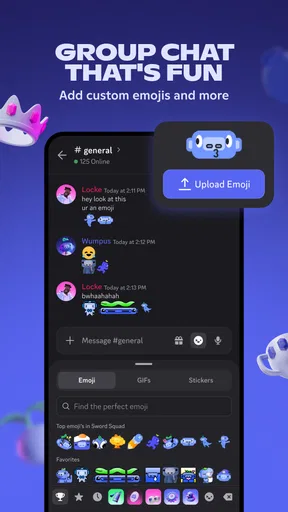
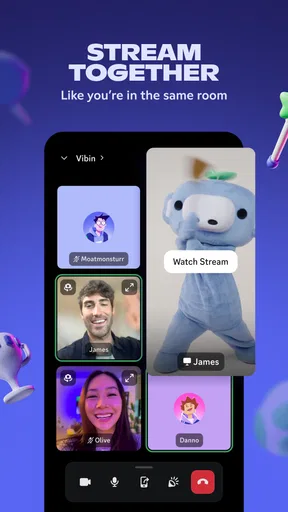
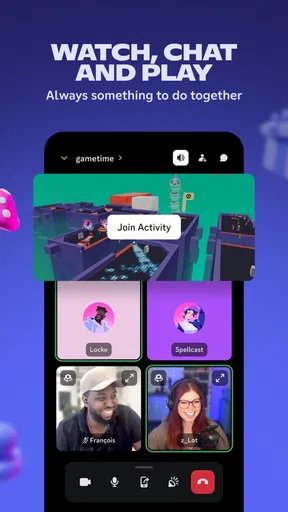
Voice channels can also make informal company easier. If friends already gather around a game, joining a shared voice space can feel more natural than arranging a formal call every time. Screen sharing is useful when someone wants to show a group what they are seeing, while custom emojis can give a community its own familiar shorthand. These features are most valuable when the same people return regularly; they are less compelling for a group that only needs to exchange an occasional message.
What Makes Discord Stand Out?
First off, Discord is more than just a messenger app. It's like a virtual living room where you can chat with your friends through text, voice, or video. You can create or join servers, which are essentially communities based on shared interests. Whether you're into gaming, art, or just looking to hang out, there's a server for you.
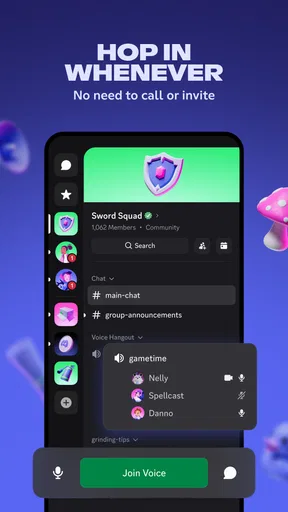
One of my favorite features is the ability to create various channels within a server. Think of them as different rooms in your house, each serving a unique purpose. You can have a channel dedicated to sharing memes, another for serious talks, and maybe one for planning your next game night. This organization helps keep conversations neat and tidy.
Worth Reading Before You Choose

ESPN’s Live Game View Makes Following Close Games Easier

QuizzLand Review: A Good Fit for Short Trivia Breaks, Not Every Player

Basketball Stars: Multiplayer Is Fast, but Can It Recover When Matches Go Wrong?

WEBTOON Turns Phone Updates Into a Better Reading Routine

Link to Windows Runs on Shared Habits, Not Social Feeds

How Alibaba.com Dominates the B2B Marketplace
The Gaming Connection
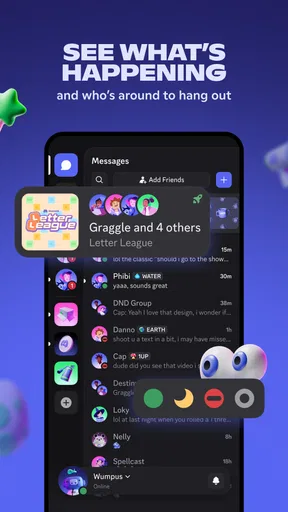
Now, if you're a gamer, this part will excite you. Discord integrates seamlessly with games, allowing you to see what your friends are playing and join them in real-time. It's like having a backstage pass to your friends' gaming sessions! You can even stream your gameplay directly to your friends, which adds an extra layer of fun and interaction.
But it’s not just for gamers, trust me. The app's flexibility makes it equally appealing for non-gaming communities too. From study groups to book clubs, Discord supports all sorts of gatherings.
Features You'll Love
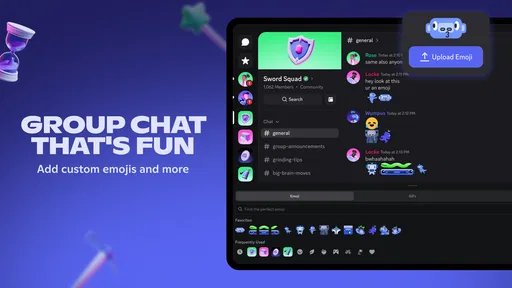
- Custom Emojis: Add a personal touch to your chats with custom emojis that you can design.
- Voice Channels: Hop into a voice channel to talk with friends like you're on a call, but without the hassle of dialing in.
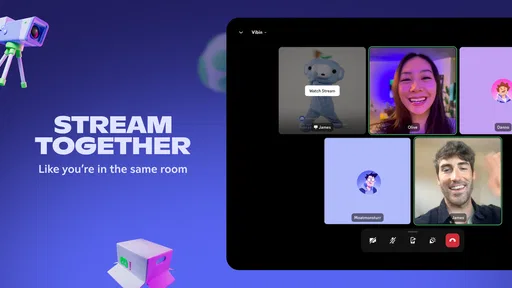
- Screen Sharing: Share your screen with others to watch videos, collaborate on projects, or simply show off your latest game achievement.
- Bot Integration: Automate tasks and add fun games to your server with bots. They can remind you of upcoming events or play music while you chat.
Community and Privacy
The beauty of Discord is its community-driven approach. You can find servers for pretty much any interest, and if not, creating one is a breeze. The app also provides robust privacy settings to control who can join your server and what they can access.
Worried about security? Discord has you covered with two-factor authentication and various privacy controls to protect your data. Plus, you can easily manage notifications, so you're not bombarded with alerts while you're busy or trying to relax.
A group chat that needs a little housekeeping
That channel structure is also a trade-off. It helps an active community stay readable, but a server with too many rooms can make newcomers unsure where to begin. I’d keep the first layout modest: create only the channels people already need, give each a clear purpose, and add more when a repeated conversation genuinely calls for one. A tidy server is easier to join than one that looks like a directory before anyone has said hello.
Notifications need the same deliberate setup. In a busy server, every channel does not deserve equal attention, and leaving every alert on can turn a useful hangout into a steady stream of interruptions. I’d mute or quiet the spaces I only check occasionally, while keeping direct conversations or important group updates easier to notice. This is a practical choice, not a failure of the app: community chat works best when you decide how much of it you want in your day.
How it fits beside other communication apps
Compared with a conventional messaging app, Discord makes more sense when a group needs persistent topic-based spaces and people may move between text and voice. A basic group chat is often simpler for a small family plan or a quick exchange, because there is less structure to set up and explain. Discord’s advantage appears when a conversation keeps branching into different subjects or the group wants a place people can drop into without scheduling a call.
It is also different from a meeting-first service. If the goal is a formal appointment with a clear start and finish, a dedicated video-call tool may be more straightforward. Discord is strongest when the group wants an ongoing shared space, not merely a call link. And unlike a public social feed, a server is organized around communities and their channels; that can feel more focused, though discovering a good community and judging whether it suits you takes some care.
A realistic day with the app
Imagine a few friends arranging an evening game. One person checks the text channel for the plan, another joins the voice channel when they are ready, and someone shares a screen to show a setup or a moment from play. Later, the same server can hold unrelated conversation without forcing the group to start from scratch. That flow is where Discord feels distinct: the coordination and the hangout can happen in the same place, at the pace each person chooses.
The same structure can work for a class or hobby group, but I would set expectations early. Decide which channel is for questions, where announcements belong, and whether voice is optional. That small bit of organization prevents a server from becoming a confusing second inbox. For a group that rarely meets or prefers not to manage a shared space, a simpler chat is probably the kinder choice.
Who is likely to get the most from it?
I’d point regular gaming groups, hobby communities, creative teams, and study circles toward Discord when they want a persistent place to talk rather than a series of disconnected messages. It can suit people who like dropping into voice casually, and organizers who want to separate topics so members can follow only the conversations relevant to them. The app’s scale—over 500 million installs and an average rating of 4.3 from around 6.6 million ratings—suggests broad use, though popularity alone cannot tell you whether a particular server will be welcoming or well managed.
I’d be more cautious about recommending it to someone who wants the least complicated way to contact a handful of people. Servers, channels, and community conventions add choices that may feel like overhead if all you need is a short private exchange. Likewise, if you prefer not to join online communities or manage alerts, you may get more value from a simpler messaging app. Discord is most rewarding when you actually want the group space, not when you feel obliged to use every feature.
Getting started without making it a project
My practical advice is to begin with one server that has a clear purpose, then learn its layout before joining several more. Look for the channel where new members are expected to start, read the group’s rules, and adjust notifications before the activity ramps up. If you create a server, make the first few channels obvious and avoid adding bots or extra structure unless they solve a real problem. Bots can help with reminders or activities, but they also add another layer to understand and maintain.
On mobile, it is worth considering how you want to participate: typing, listening in voice, and checking several channels are different kinds of attention. You do not need to be present everywhere to be part of a community. A few intentional notification choices and a clear sense of which channels matter can make the app feel much calmer, especially when one server is more active than you expected.
Version, compatibility, and the final call
The current stable release is version 309.11, and Discord requires Android 7.0 or later on Android devices. It is free to install, with optional in-app purchases; the app has been available since May 7, 2015. Those details make it easy to try if your device meets the requirement, while the Teen age rating is a reminder to consider whether its community setting is appropriate for the person using it.
To wrap it up, Discord - Talk, Play, Hang Out is an unparalleled tool for anyone looking to connect with others online, whether you're gaming or just hanging out. It's dynamic, versatile, and incredibly user-friendly. So, if you haven't tried it yet, what are you waiting for? Dive in, and you might just find your new favorite hangout spot!
Pros
- Intuitive user interface
- easy to navigate.
- Supports voice
- video
- and text communication.
- Customizable notifications for each server.
- Integrates with many gaming platforms.
- Robust community-building tools.
Cons
- Can be overwhelming for new users.
- Requires strong internet for video calls.
- Some features locked behind paywall.
- Notification settings can be complex.
- Mobile app can drain battery quickly.
FAQs for Discord - Talk, Play, Hang Out
What is Discord and how does it work?
Discord is a communication platform that allows users to create servers to chat via text, voice, or video. It’s widely used by gaming communities but is also suitable for any group needing a virtual gathering space. Users can join servers, create channels, and interact with friends or community members.
Is Discord free to use?
Yes, Discord is free to use. However, it offers a premium subscription called Discord Nitro. Nitro provides benefits like higher-quality video and voice, larger file upload limits, and a custom Discord tag. While the basic features suffice for most users, Nitro enhances the experience for more demanding users.
How secure is Discord?
Discord employs standard security protocols, including encryption for data in transit and at rest. Users can also enable two-factor authentication for added security. However, as with any online platform, users should be cautious with personal information and be aware of potential phishing attempts.
Can I use Discord on multiple devices?
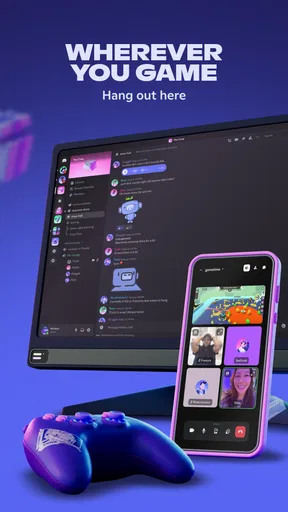
Yes, Discord is available on multiple platforms including Windows, macOS, Android, iOS, and web browsers. You can seamlessly switch between devices as Discord synchronizes your data across all platforms, allowing you to stay connected wherever you are.
How can I manage notifications on Discord?
Discord offers flexible notification settings. You can customize notifications for each server and channel, choosing what type of alerts you receive. Options include muting channels, suppressing @everyone mentions, or setting Do Not Disturb mode to temporarily pause all notifications.


